Essay
Mastra Background Tasks: Agent Work That Survives a Restart
Picture this: your agent kicks off a ten-minute job — scrape, summarize, compile — and three minutes in, your server redeploys. The work is gone. Mastra's background tasks are built to survive exactly that. Here's how, in code.
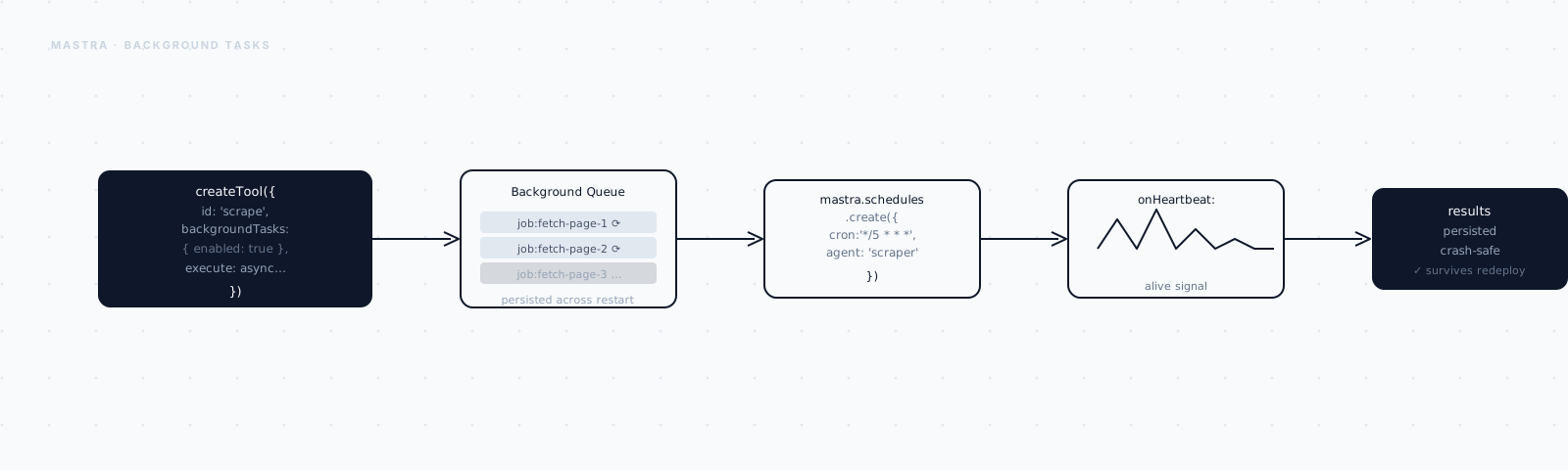
Picture this.
Your agent kicks off a job — scrape forty pages, summarize each one, compile a report. It's going to take about ten minutes.
Three minutes in, your server redeploys.
The request dies with it. The work is gone. The user refreshes and sees nothing.
Here's the thing: the demo never caught this. The demo finished in four seconds, long before anything could go wrong. Real work doesn't move that fast.
The moment an agent task can outlive the request that started it, you need two things: somewhere durable to keep the work, and a way to pick it back up once the process that was running it is gone.
That's what Mastra's background tasks are for. Let me show you how they're wired, in code.
Everything here is from Mastra's public docs and a toy example I put together for this post. APIs move — check the changelog before copying verbatim. One thing is non-negotiable though: background tasks need a configured storage backend. Without persistence, there's no "background" — just a promise that dies with the process.
The mental model: dispatch, detach, persist
A normal tool call is synchronous. The agent calls it, waits, gets a result back, and moves on.
A background task flips that around. The agent dispatches the work, gets a handle back immediately, and the work itself keeps running detached — persisted to storage so it doesn't depend on the request staying alive.
So how do you actually turn this on?
Step 1: Turn background tasks on
You enable them on the Mastra instance, alongside the storage that makes them durable. Here's the minimal version:
import { Mastra } from "@mastra/core";
import { LibSQLStore } from "@mastra/libsql";

export const mastra = new Mastra({
  storage: new LibSQLStore({ id: "storage", url: "file:mastra.db" }),
  backgroundTasks: {
    enabled: true,
  },
});
That's a working setup. But it has a gap: nothing stops a burst of dispatches from spawning unbounded parallel work.
Say ten users all ask for a report at the same time. Without a cap, that's forty scrape jobs running at once, all hammering some API you don't own. You'll hit a rate limit, or run out of memory, or both.
So there's a knob worth setting from day one:
backgroundTasks: {
  enabled: true,
  globalConcurrency: 10,   // total tasks running at once, across all agents
},
globalConcurrency is your system-wide ceiling — no matter how many agents
you have running, only this many tasks execute at once.
That protects the system. It doesn't protect agents from each other. One chatty agent, dispatching background work in a loop, can still eat the whole pool and starve everyone else.
backgroundTasks: {
  enabled: true,
  globalConcurrency: 10,    // total tasks running at once, across all agents
  perAgentConcurrency: 5,   // cap per agent, so one agent can't starve others
},
perAgentConcurrency is the per-agent version of the same idea. Between the
two, you get a ceiling on the whole system and a floor of fairness underneath
it.
Step 2: Opt a tool into background execution
Not every tool should run in the background — only the slow ones. You mark them at the tool level:
export const compileReport = createTool({
  id: "compile-report",
  description: "Scrape a list of URLs and compile a summary report. Slow — runs in the background.",
  inputSchema: z.object({
    urls: z.array(z.string()).describe("Pages to scrape and summarize"),
  }),
  backgroundTasks: { enabled: true },   // <- this tool dispatches instead of blocking
  execute: async ({ context, suspend }) => {
    const results = [];
    for (const url of context.urls) {
      results.push(await scrapeAndSummarize(url));
    }
    return { report: results };
  },
});
Now when the model calls compile-report, Mastra doesn't block the agent
loop waiting on forty pages. It dispatches the task, persists it, and hands
the agent a handle it can report back with — something like "I've started
the report, I'll let you know when it's ready."
There's a nice escape hatch here too. The model can include _background
overrides in its own tool call arguments, deciding per-call whether something
runs detached — useful when the same tool is sometimes quick and sometimes
not.
That handles dispatching the work. The harder question is what happens to it after your process disappears mid-run.
Step 3: Survive the restart — the part that actually matters
This is the whole point, so slow down here.
Say the task hits a suspend() — it's waiting on a human, or it's
deliberately checkpointing partway through. Mastra persists status: 'suspended' and saves a snapshot of the work.
Later, you resume it:
await mastra.backgroundTaskManager.resume(taskId, resumeData);That looks simple. Here's the gotcha that trips almost everyone up.
After a process restart, the in-memory executor for that task is gone. The persisted state survived — the running code did not.
So before resume() has anything to resume into, you have to re-attach an
executor to the reloaded task:
// After the process restarts, rehydrate suspended tasks before resuming them.
const manager = mastra.backgroundTaskManager;

for (const task of await manager.listTasks({ status: "suspended" })) {
  // Re-register how this task type executes, so resume() has something to run.
  manager.registerTaskContext(task.id, buildExecutorFor(task));
}
This is the single most common mistake with durable tasks: assuming that
because the state persisted, resume() will just work after a restart. It
won't — the persisted snapshot has no code attached. registerTaskContext is
how you hand the reloaded state back its executor. Miss it, and resume
silently has nothing to resume into.
Okay — the task survives. Now how do you know what it's actually doing?
Step 4: Watch the work — streaming and polling
Because the task is detached, you can't just wait on it the way you'd wait on a normal function call. You need a separate way to watch it.
The most direct way is a live stream — subscribe once, and get every event as the task runs:
const stream = mastra.backgroundTaskManager.stream({
  abortSignal: controller.signal,
});
for await (const event of stream) {
  updateUI(event);
}
That's great for a UI that's already open. But sometimes you just need a point-in-time answer — for a status endpoint, or a polling client:
const task = await mastra.backgroundTaskManager.getTask(taskId);
const running = await mastra.backgroundTaskManager.listTasks({
  status: "running",
  agentId: "report-agent",
});
And if you don't want to hold a stream open or poll at all — you just want to be told when something finishes or fails — register a callback instead:
mastra.backgroundTaskManager.onTaskComplete((task) => notify(task));
mastra.backgroundTaskManager.onTaskFailed((task) => alert(task));
Three ways to watch the same thing: push it to a live UI, pull it on demand, or get tapped on the shoulder when it's done.
Where I'd actually reach for this
Background tasks aren't free complexity. They add a storage dependency, and a rehydration step you have to get right on every deploy.
So the test I actually use is simple: will this work plausibly outlive the request?
If a task can take longer than your platform's request timeout, or needs to survive a deploy, or is waiting on something external — a human, a slow API, a schedule — it belongs in the background.
If it finishes in a couple of seconds, leave it in the foreground. You don't need any of this machinery yet.
Three things separate a toy version of this from something you'd actually ship:
- Concurrency caps, so a dispatch storm can't take the system down.
registerTaskContextwired up on boot, so a restart resumes instead of stalls.- A status surface — stream or poll — so the user isn't staring at silence.
Get those three right, and "the server redeployed mid-job" stops being a lost report. It becomes a task that quietly picks up where it left off.
If you want the broader picture of long-running and durable agents — including how this fits with cron-style scheduling and crash recovery — that's Part 6 of my Mastra series. This post was the close-up on the persistence mechanics specifically.